
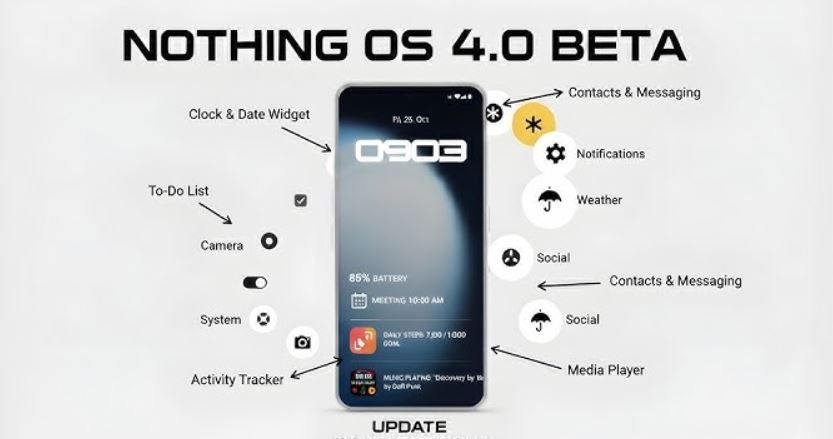
Nothing has officially kicked off the rollout of Nothing OS 4.0, built on Android 16, starting with the Nothing Phone (3).
In the fast-paced world of smartphones, software updates can breathe new life into your device, and Nothing is leading the charge once again. This update isn’t just about bumping up the OS version—it’s packed with innovative features like Live Updates in Glyph, a redesigned user interface, and AI-powered tools that make your phone feel smarter and more intuitive.
If you’re a Nothing Phone owner eager to enhance your experience with real-time notifications, smoother multitasking, and enhanced battery efficiency, this guide breaks down everything you need to know about the Nothing Android 16 rollout. From Glyph Interface enhancements to eligibility and rollout timelines, we’ve got you covered.
What Is Nothing OS 4.0 and Why Does It Matter for Android 16?
Nothing OS 4.0 represents Nothing’s take on Google’s latest mobile operating system, Android 16. Dubbed “Flow” by the community, this update emphasizes fluidity in daily use, blending Nothing’s signature minimalist design with cutting-edge functionality. The result? A phone that’s faster, clearer, and more personalized.
Key highlights include:
- Smoother animations and UI refinements: Expect snappier app transitions, a revamped status bar, and clearer notifications for better low-light readability.
- Extra Dark Mode: A deeper dark theme that boosts contrast and reduces power consumption system-wide, perfect for extending battery life during late-night scrolls.
- AI-driven innovations: Through Nothing Playground and the new Widget Builder, you can describe custom app ideas, and AI will generate “Essential Apps” for your home screen.
But the real star of the show? The integration of Android 16’s Live Updates with Nothing’s iconic Glyph Interface. This turns your phone’s back lights (or dot-matrix display on the Phone (3)) into a dynamic progress tracker, reducing the need to unlock your device constantly.
Live Updates in Glyph: A Game-Changer for Nothing Phones
Nothing’s Glyph Interface has always set its phones apart—a unique LED system on the back that lights up for calls, timers, and more. With Nothing OS 4.0, it’s evolving into something truly practical via Glyph Progress.
Here’s how Live Updates in Glyph works:
- Real-time tracking without distractions: Monitor ride-sharing ETAs (like Uber), delivery progress (e.g., Amazon packages), or countdown timers right on your Glyph lights. On older models like the Phone (3a), lights pulse or count up/down. The Phone (3)’s advanced dot-matrix shows an animated slider for even more detail.
- Broader compatibility: Thanks to Android 16, any app supporting Live Updates automatically integrates with Glyph Progress—no more limited partnerships. This means seamless support for popular services you already use.
- Unified experience: Progress appears on your lock screen, notifications, and Glyph simultaneously, creating an “at-a-glance” system that minimizes interruptions.
Imagine checking your food delivery status with a quick glance at the back of your phone instead of fumbling for the app. It’s ambient computing at its finest, making Nothing phones feel more alive and less intrusive.
Exclusive Features for Nothing Phone (3) Owners
If you own the Nothing Phone (3), this update unlocks hardware-specific perks that deepen the Glyph magic:
- Enhanced Flip to Glyph: Choose between silent or vibrate modes, plus a “Quick Charging Peek”—shake your phone while charging to see status instantly.
- Pocket Mode: Automatically disables the Glyph Matrix when your phone detects it’s in your pocket, preventing accidental activation’s.
- Glyph Toys: Fun new animations like an Hourglass for time visualization or Lunar Cycle to display the moon’s real-time position.
- Glyph Mirror Selfie upgrade: Snap selfies using the rear display and save both the mirrored preview and original photo in your gallery.
These additions showcase Nothing’s commitment to blending hardware and software for creative, everyday utility.
Other Highlights: Multitasking, Widgets, and AI Tools
Beyond Glyph, Nothing OS 4.0 brings a host of tweaks to make your phone more versatile:
- Dual-window multitasking: Run two floating apps side-by-side with easy gesture switching—ideal for productivity on the go.
- Expanded widget options: New 1×1 and 2×1 sizes for Weather, Pedometer, and Screen Time, plus the ability to hide apps from the drawer for a clutter-free home screen.
- AI-powered Essential Apps: Use the Widget Builder in Nothing Playground to create custom tools by describing what you need. Collect and share them via the new Widget Drawer.
- TrueLens Engine: Improved camera and gallery performance with better low-light algorithms.
Plus, the update refines core apps like Essential Space (now Essential Memory) for smarter search and file management.
Rollout Schedule: Which Nothing Phones Get Android 16?
The Android 16 rollout is phased to ensure stability:
- Nothing Phone (3): Available now (November 21, 2025).
- Other Nothing and CMF Phones: Expected over the coming weeks, with CMF models updated before the end of 2025.
- Nothing Phone (3a) Lite: Early 2026.
To check for the update, head to Settings > System > System Update. Nothing recommends backing up your data first, as rollouts happen in waves to avoid server overloads.
Early users report a “noticeably smoother” experience, though minor Glyph sync glitches have popped up—Nothing is already rolling out patches.
Why This Android 16 Update Sets Nothing Apart
In a market dominated by giants like Samsung and Google, Nothing’s Android 16 rollout proves smaller brands can innovate boldly. By weaving Live Updates in Glyph into the fabric of daily life, Nothing isn’t just updating software—it’s reimagining how we interact with our phones. Whether you’re tracking a delivery or unwinding with Lunar Cycle animations, this update makes your device feel more responsive and fun. If you’re in the Nothing ecosystem, keep an eye on your notifications. The future of fluid, glyph-enhanced Android is here, and it’s brighter (and more efficient) than ever.
Sell old mobile to GadgetMaster and get the best price for it. If you’re searching for “best place to sell old phone” or “how to sell old mobile online,” you don’t need to look further.
Choose GadgetMaster — the most trusted platform to get instant payment, doorstep pickup, and the highest resale value for your device.